
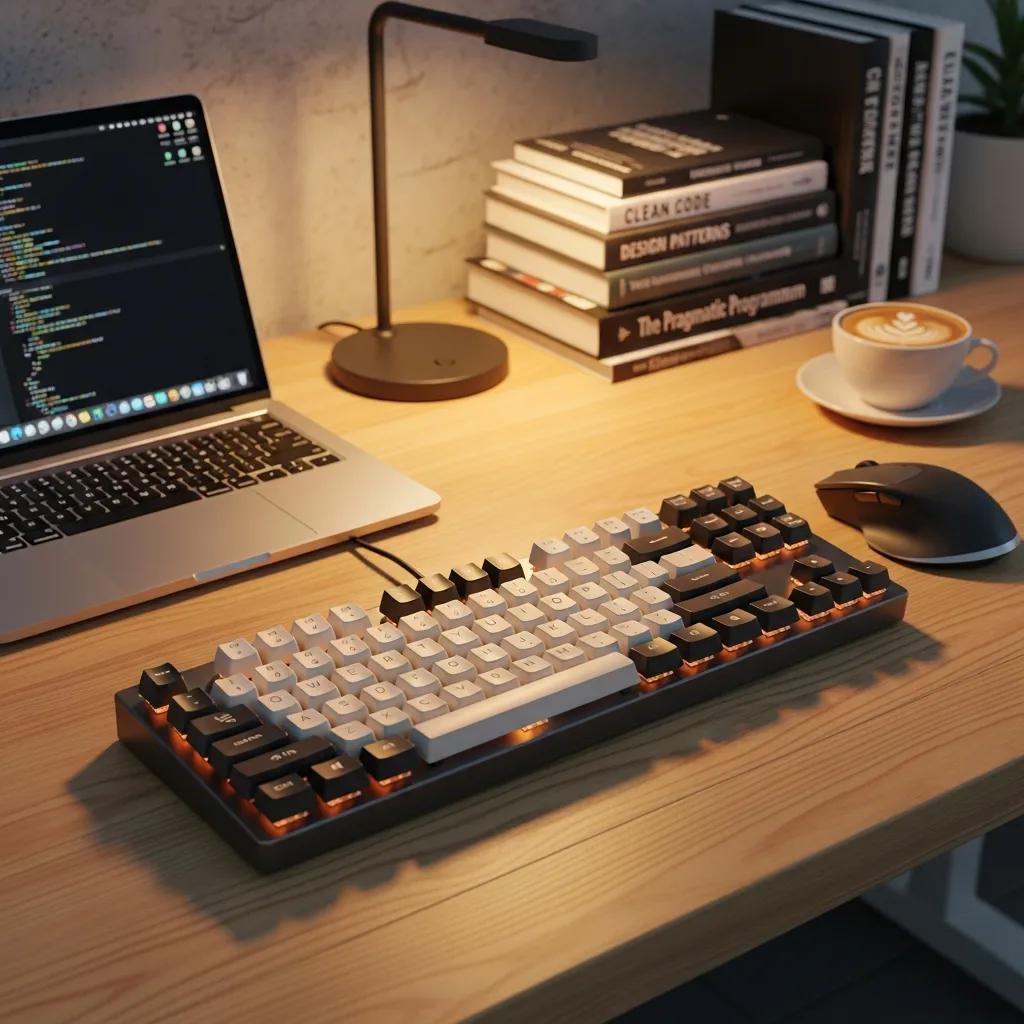
Best Mechanical Keyboards for Programmers in 2026: Comprehensive Guide to Switches, Ergonomics, and Top Brands
As programming continues to evolve, the tools we use must adapt to meet the demands of modern coding environments. Mechanical keyboards have become a staple for programmers due to their tactile feedback, durability, and customization options. This comprehensive guide will explore the best mechanical keyboards for programming in 2026, focusing on switch types, ergonomic features, and leading brands. Readers will learn about the various switch mechanisms, how ergonomic designs can enhance comfort and productivity, and which brands offer the best models tailored for coding. With the right keyboard, programmers can significantly improve their efficiency and reduce fatigue during long coding sessions.
Which Mechanical Keyboard Switch Types Are Best for Programming in 2026?
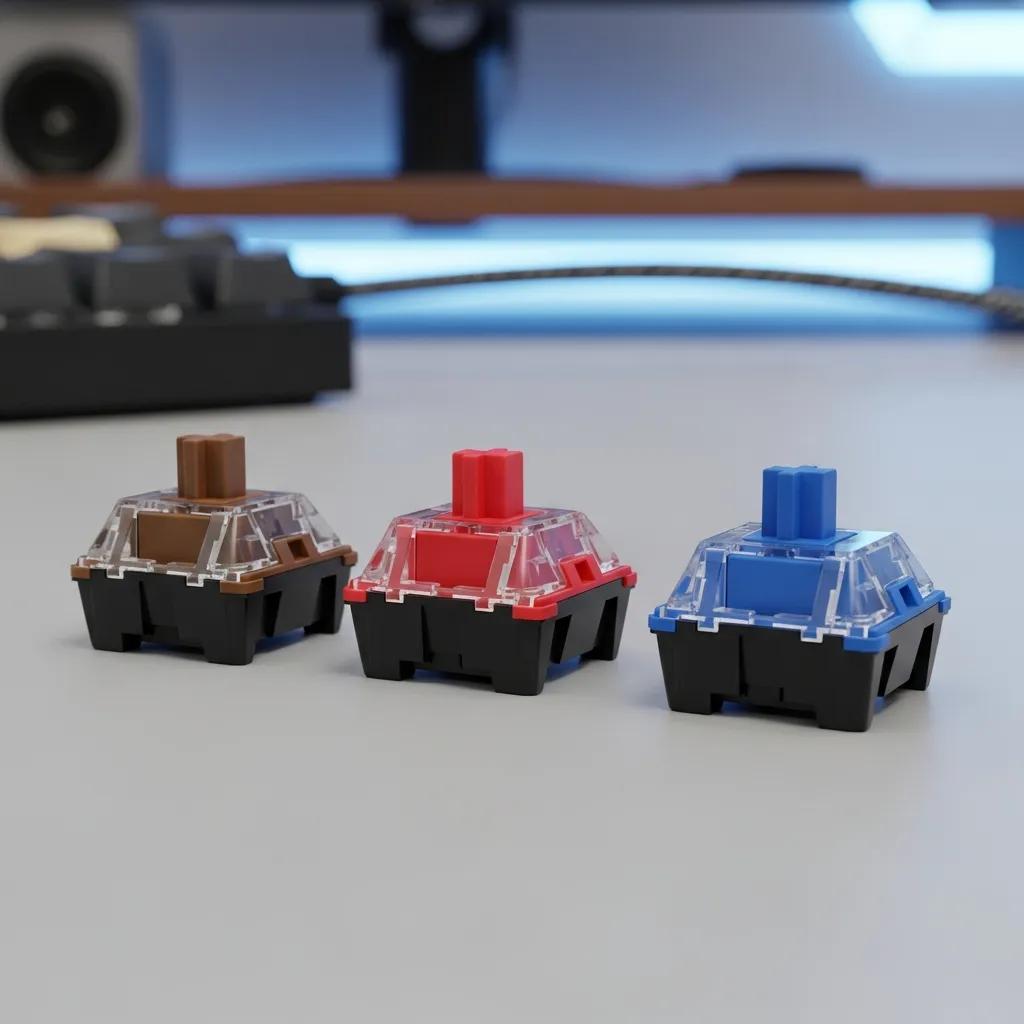
Mechanical keyboard switches are crucial for programming, as they directly affect typing speed, accuracy, and comfort. The best switch types for programming in 2026 include tactile, linear, and clicky switches, each offering unique benefits. Tactile switches provide feedback that can enhance typing accuracy, while linear switches offer a smooth keystroke ideal for rapid typing. Clicky switches, on the other hand, provide audible feedback, which some programmers find satisfying and helpful for maintaining rhythm.
Choosing the right switch type can significantly impact a programmer’s workflow. For instance, tactile switches like “Cherry MX Brown” are popular for their balance of feedback and smoothness, making them suitable for both coding and general use.
What Are the Features of Popular Switch Types Like Cherry MX and Gateron?
Cherry MX and Gateron switches are among the most recognized in the mechanical keyboard market. Cherry MX switches are known for their reliability and variety, offering options like Red, Brown, and Blue switches, each catering to different preferences. Gateron switches, often praised for their smoothness, provide a more budget-friendly alternative without sacrificing quality.
Cherry MX switches are characterized by:
- Durability: Rated for approximately 50 million keystrokes.
- Variety: Available in multiple types to suit different preferences.
- Consistency: Known for their uniform feel across switches.
Gateron switches, on the other hand, are recognized for:
- Smoothness: Often considered smoother than their Cherry counterparts.
- Affordability: Generally priced lower than Cherry MX switches.
- Variety: Also available in various types, including Red, Brown, and Blue.
Understanding these features helps programmers select the best switch type for their specific needs.
How Do Low-Profile and Emerging Switch Technologies Improve Coding Efficiency?
Low-profile mechanical keyboards are gaining popularity among programmers for their compact design and reduced travel distance. These keyboards often feature switches that are shorter in height, allowing for a more ergonomic typing position. Emerging technologies, such as optical switches, are also making waves in the market. These switches use light-based actuation, which can result in faster response times and increased durability.
The benefits of low-profile and emerging switch technologies include:
- Reduced Fatigue: Lower travel distance can lead to less strain on fingers.
- Faster Typing: Optical switches can provide quicker actuation, enhancing typing speed.
- Compact Design: Low-profile keyboards take up less desk space, making them ideal for mobile setups.
These advancements in switch technology are designed to enhance coding efficiency, making them a worthwhile consideration for programmers.
How Do Ergonomic Keyboards Enhance Programmer Comfort and Productivity?
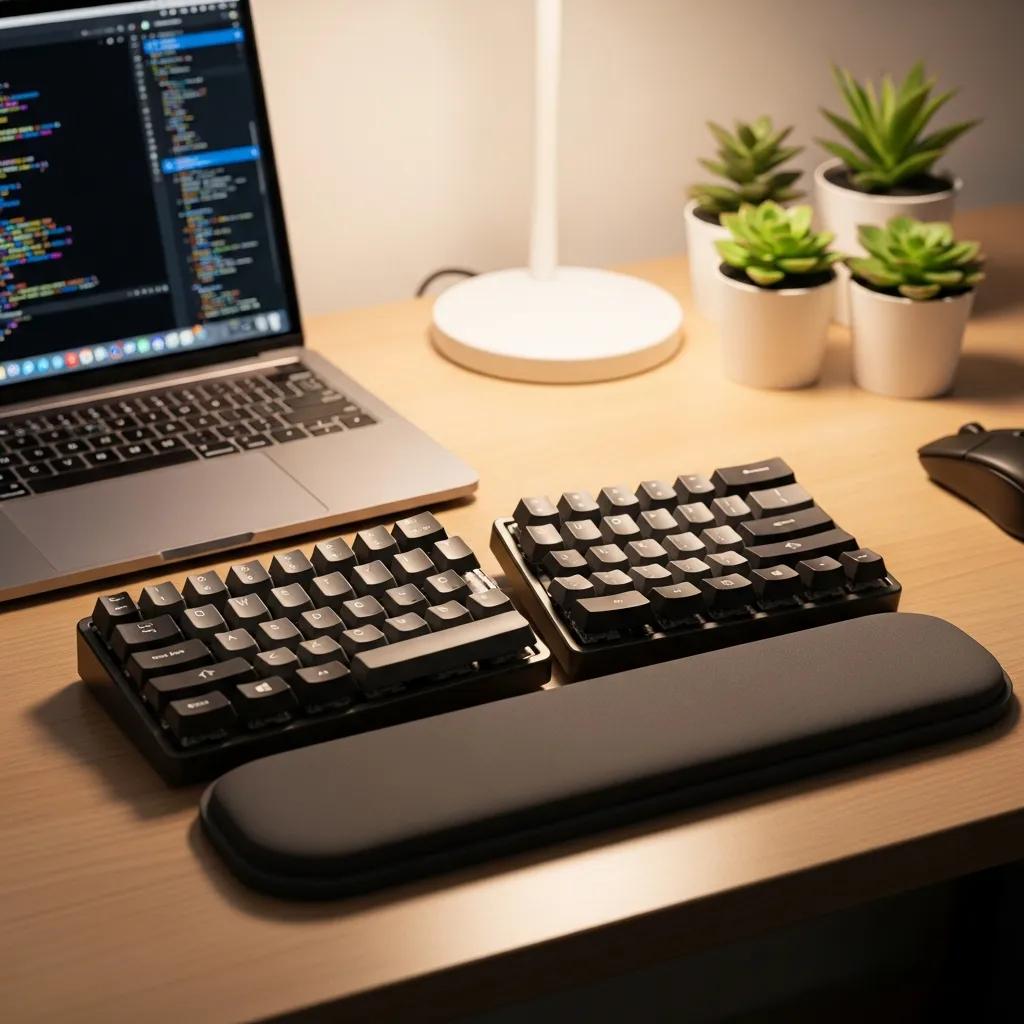
Ergonomic keyboards are specifically designed to reduce strain and improve comfort during extended typing sessions. These keyboards often feature a split design, adjustable height, and wrist support, which can significantly enhance a programmer’s comfort and productivity. By promoting a more natural hand position, ergonomic keyboards help prevent repetitive strain injuries, a common issue among programmers.
Indeed, extensive research supports the effectiveness of ergonomic designs, particularly split keyboards, in improving user comfort and productivity.
Ergonomic Split Keyboards: Enhancing Programmer Productivity & Comfort
Studies of adjustable keyboards, fixed split keyboards, and commercial keyboards have shown the impact of split keyboard designs on productivity, preference, posture, and pain, highlighting the benefits of ergonomic keyboards.
The split keyboard: An ergonomics success story, D Rempel, 2008
Key ergonomic features to look for in 2026 keyboards include:
- Split Design: Allows for a more natural hand position.
- Adjustable Height: Customizable height settings to suit individual preferences.
- Wrist Support: Cushioned support to reduce strain on wrists.
Investing in an ergonomic keyboard can lead to improved focus and efficiency, as programmers can work longer without discomfort.
What Ergonomic Features Should Programmers Look for in 2026 Keyboards?
When selecting an ergonomic keyboard, programmers should consider several key features that enhance comfort and usability. These features include:
- Adjustability: Look for keyboards with adjustable angles and heights to accommodate different typing styles.
- Wrist Support: Integrated or detachable wrist rests can provide additional comfort during long coding sessions.
- Key Layout: A layout that minimizes finger movement can help reduce strain.
By prioritizing these ergonomic features, programmers can create a more comfortable and productive workspace.
How Does Ergonomic Design Reduce Fatigue and Improve Coding Performance?
Ergonomic design plays a crucial role in reducing fatigue and enhancing coding performance. By promoting a natural hand position and reducing strain on the wrists and fingers, ergonomic keyboards can help programmers maintain focus and productivity over extended periods. Studies have shown that users of ergonomic keyboards report less discomfort and fatigue, leading to improved coding efficiency.
The mechanisms through which ergonomic design benefits programmers include:
- Natural Hand Position: Reduces strain on muscles and tendons.
- Reduced Reach: Minimizes the distance fingers must travel, enhancing typing speed.
- Comfortable Materials: Soft-touch materials can improve the overall typing experience.
These factors contribute to a more enjoyable and productive coding experience.
What Are the Advantages and Disadvantages of Wireless vs Wired Mechanical Keyboards?
When choosing between wireless and wired mechanical keyboards, programmers should weigh the advantages and disadvantages of each option.
Advantages of Wireless Keyboards:
- Flexibility: No cables to manage, allowing for a cleaner workspace.
- Portability: Easier to transport for on-the-go programming.
Disadvantages of Wireless Keyboards:
- Battery Dependency: Requires regular charging or battery replacement.
- Potential Latency: Some users may experience slight input lag compared to wired options.
Advantages of Wired Keyboards:
- Reliability: Consistent connection without the need for batteries.
- Lower Latency: Generally offers faster response times, which can be crucial for gaming or high-speed coding.
Disadvantages of Wired Keyboards:
- Cable Management: Can create clutter on the desk.
- Less Portability: More cumbersome to transport.
Understanding these factors can help programmers make an informed decision based on their specific needs and preferences.
Are Wireless Mechanical Keyboards Reliable and Suitable for Programmers?
Wireless mechanical keyboards have improved significantly in reliability and performance, making them a viable option for programmers. Many modern wireless keyboards utilize Bluetooth technology, which offers a stable connection and low latency. However, it is essential to choose high-quality models to ensure optimal performance.
Key considerations for wireless keyboards include:
- Battery Life: Look for models with long battery life to minimize interruptions.
- Connection Stability: Ensure the keyboard maintains a strong connection without frequent dropouts.
- Compatibility: Check that the keyboard is compatible with your operating system and devices.
With advancements in technology, many wireless keyboards now meet the demands of programmers without sacrificing performance.
How Do Wired Keyboards Compare in Latency and Stability for Coding?
Wired keyboards are often preferred by programmers who prioritize latency and stability. The direct connection provided by wired keyboards eliminates concerns about battery life and connection dropouts, ensuring a consistent typing experience.
Key factors to consider when evaluating wired keyboards include:
- Response Time: Wired keyboards typically offer faster response times, which can be beneficial for coding and gaming.
- Durability: Many wired keyboards are built to withstand heavy use, making them a reliable choice for programmers.
- Customization Options: Wired keyboards often come with more customization features, such as programmable keys and RGB lighting.
For those who require a dependable and responsive typing experience, wired keyboards remain a top choice.
Which Top Mechanical Keyboard Brands Offer the Best Models for Programmers in 2026?
Several brands stand out in the mechanical keyboard market, offering high-quality models tailored for programmers. Notable brands include “Keychron”, Das Keyboard, and Logitech, each known for their unique features and benefits.
- Keychron: Offers a range of mechanical keyboards with customizable RGB lighting and various switch options, catering to both casual and professional programmers.
- Das Keyboard: Known for its premium build quality and tactile feedback, Das Keyboard models are designed for serious typists who value performance.
- Logitech: Provides a variety of mechanical keyboards with advanced features like programmable keys and customizable lighting, making them suitable for both gaming and programming.
These brands incorporate various switch types and ergonomic designs, ensuring that programmers can find a model that meets their specific needs.
What Are the Key Features of Keychron, Das Keyboard, and Logitech Models?
Keychron, Das Keyboard, and Logitech each offer distinct features that cater to programmers’ needs.
Keychron Features:
- Wireless and Wired Options: Flexibility to choose between connection types.
- Customizable RGB Lighting: Personalization for aesthetics and functionality.
- Multiple Switch Options: Catering to different typing preferences.
Das Keyboard Features:
- High-Quality Build: Durable materials designed for heavy use.
- Tactile Feedback: Enhanced typing experience for accuracy.
- N-Key Rollover: Allows multiple key presses simultaneously without ghosting.
Logitech Features:
- Programmable Keys: Custom shortcuts for increased productivity.
- Advanced Lighting: Customizable lighting effects for a personalized touch.
- Long Battery Life: For wireless models, ensuring minimal downtime.
These features make each brand a strong contender for programmers seeking the best mechanical keyboards in 2026.
How Do These Brands Incorporate Switch Types and Ergonomics for Coding?
The leading brands in mechanical keyboards have made significant strides in incorporating various switch types and ergonomic designs into their products.
Keychron focuses on providing a range of switch options, allowing users to select the type that best suits their typing style. Their ergonomic designs often include adjustable heights and wrist support, enhancing comfort during long coding sessions.
Das Keyboard emphasizes tactile feedback and build quality, ensuring that programmers can type efficiently without discomfort. Their ergonomic models often feature split designs to promote a natural hand position.
Logitech combines advanced technology with ergonomic considerations, offering programmable keys and customizable lighting to enhance the coding experience. Their keyboards are designed to minimize strain while maximizing functionality.
By understanding how these brands integrate switch types and ergonomic features, programmers can make informed decisions when selecting their ideal keyboard.
How Can Programmers Customize Their Mechanical Keyboards for Optimal Coding Experience?
Customization is a significant advantage of mechanical keyboards, allowing programmers to tailor their setups to their preferences. Programmers can customize their keyboards in several ways:
The deep dive into custom mechanical keyboards reveals a rich technoculture where personal expression and detailed customization are paramount.
Custom Mechanical Keyboards for Programming: Building & Personalization
This article describes the technoculture of custom mechanical keyboards, with an emphasis on the author’s experience of building, programming, and relearning to type Colemak on a non-standard mechanical keyboard called the Planck. With building, coding, and typing on the Planck as a guide, the article argues that proprioceptive preference, coded customization, visual taste, materials quality, consumer fads, community belonging, and personal expression all factor into the technol
Building, coding, typing, 2021
- Switch Replacement: Swapping out switches for different types to suit personal preferences.
- Keycap Replacement: Changing keycaps for aesthetics or improved feel.
- Macro Programming: Setting up macros for frequently used commands to enhance efficiency.
These customization options enable programmers to create a keyboard that not only looks good but also enhances their coding experience.
Further research highlights the historical context and human factors involved in customizing keyboards for programming needs.
Mechanical Keyboards for Programmers: Customization & Human Factors
early mechanical keyboards, on electric typewriters, and on most modern computer keyboards as his keen interest in and aptitude for programming made him an excellent candidate for adapted access device prescription and customization.
A human factors approach to adapted access device prescription and customization, PL Weiss, 1992
What Accessories Enhance Mechanical Keyboards for Programming?
Several accessories can enhance the functionality and comfort of mechanical keyboards for programming. Key accessories include:
- Wrist Rests: Provide additional support and comfort during long coding sessions.
- Keycap Pullers: Make it easy to swap out keycaps for customization.
- Keyboard Trays: Help position the keyboard at an optimal height to reduce strain.
Investing in these accessories can significantly improve the overall typing experience, making coding more enjoyable and efficient.
How Does Keycap and Layout Customization Improve Programmer Efficiency?
Keycap and layout customization can have a profound impact on a programmer’s efficiency. By selecting keycaps that provide better tactile feedback or a layout that minimizes finger movement, programmers can enhance their typing speed and accuracy.
The benefits of customization include:
- Personalized Feel: Keycaps can be chosen for comfort and aesthetics, making typing more enjoyable.
- Optimized Layouts: Custom layouts can reduce the distance fingers travel, improving typing speed.
- Enhanced Functionality: Programmers can create shortcuts for frequently used commands, streamlining their workflow.
These factors contribute to a more efficient coding experience, allowing programmers to focus on their work without unnecessary distractions.